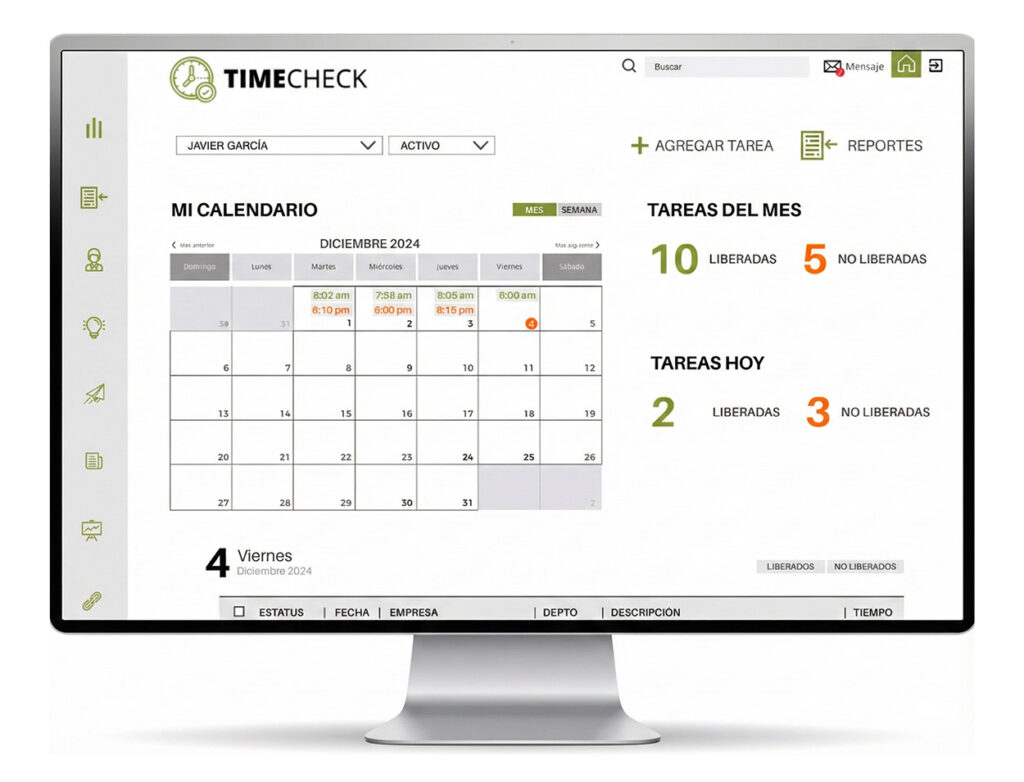

The “TIMECHECK” time management system is a user-friendly platform developed for professional services organizations. This tool simplifies the organization of time, activities, reports, and projects.
Thanks to this platform, it’s possible to have better control of the company, as the system has a complete and detailed database to determine employee performance and productivity.
It is characterized by its ease of use in capturing data for activities, projects, goals, and recording the time spent on them.
Monitored by a specific profile for the Manager or Team Leader, the optimization of work organization increases exponentially.
The central function of this platform is to optimize the organization by time and provide a more accurate perspective of the facts through reports of all records by different aspects and areas through each function:

General Reports: All users have access to these reports (Administrators, Supervisors, and Data Entry Clerks).
Financial Reports: Only administrators have access to these reports, for the purpose of evaluating and analyzing employee reports.

Created according to the client’s needs:
This box presents the percentage of time invested per client, comparing the time spent with each client in different colors with a pie chart.
This report allows for an analysis of times in a given period per person, but grouped by project.
This report allows for an analysis of times in a given period per person, but grouped by project.
A summary of the employee’s total time spent with clients (company) is displayed.
* Supervisors and administrators can view this information for all employees.
Basically, it shows the total number of hours released and those that are not yet released.
Displays the list of what all employees worked on for that company.
It shows the total percentage of overall time spent on businesses.
It shows the total percentage of time invested by each employee in the companies.
It displays the report in percentage and time for each employee to a specific company (depending on the one chosen).
It shows, through a graph and percentages, the time invested in companies by department.
It displays a report of the time invested by companies to other companies.
This is where, through a Period and Company Filter, results are shown graphically by comparing areas such as the General Management, followed by the months of the previous year in comparison.
The main user, responsible for managing the catalogs: Employees, Profiles, Projects, Clients, Departments, Functions and Parameters.
Responsible for ensuring that users complete their tasks on time and correctly. The Supervisor provides feedback and releases tasks to their employees (data entry operators).
User responsible for capturing and updating information regarding their tasks or activities performed throughout the workday.
WhatsApp us